All work
Case study · Specimen · 2026
I was drowning in screenshots. So I built Specimen.
A field notebook for product people: it reads each screenshot you keep, pulls out the actual insight, and files it into a queue you will revisit. Designed, built and shipped solo, on weekends, with AI as the engineering team.
01The itch
Hundreds of screenshots taken. Zero value revisited.
01
Impulsive captures
Sharp UI snippets, clever workflows and tool discoveries, saved constantly on a phone.
02
The collector’s paradox
A massive pile of inspiration built up with no search, no tagging and no action mechanism.
03
Systemic breakdown
All of the inputs, but no structured system to process them.
The screenshots weren’t the problem. The problem was that I’d built a graveyard of good ideas with no way to act on a single one. I had all the inputs and none of the system.
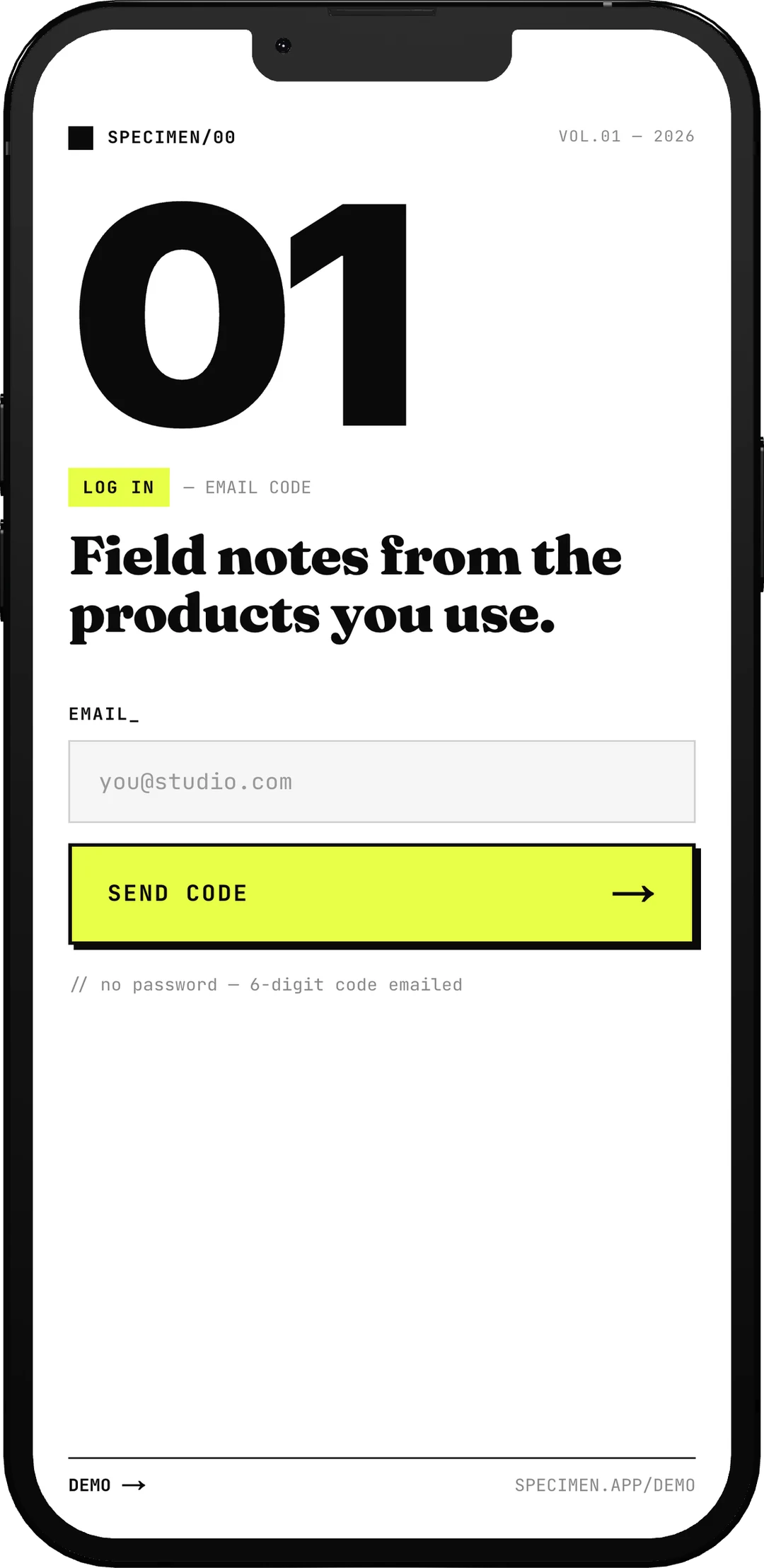
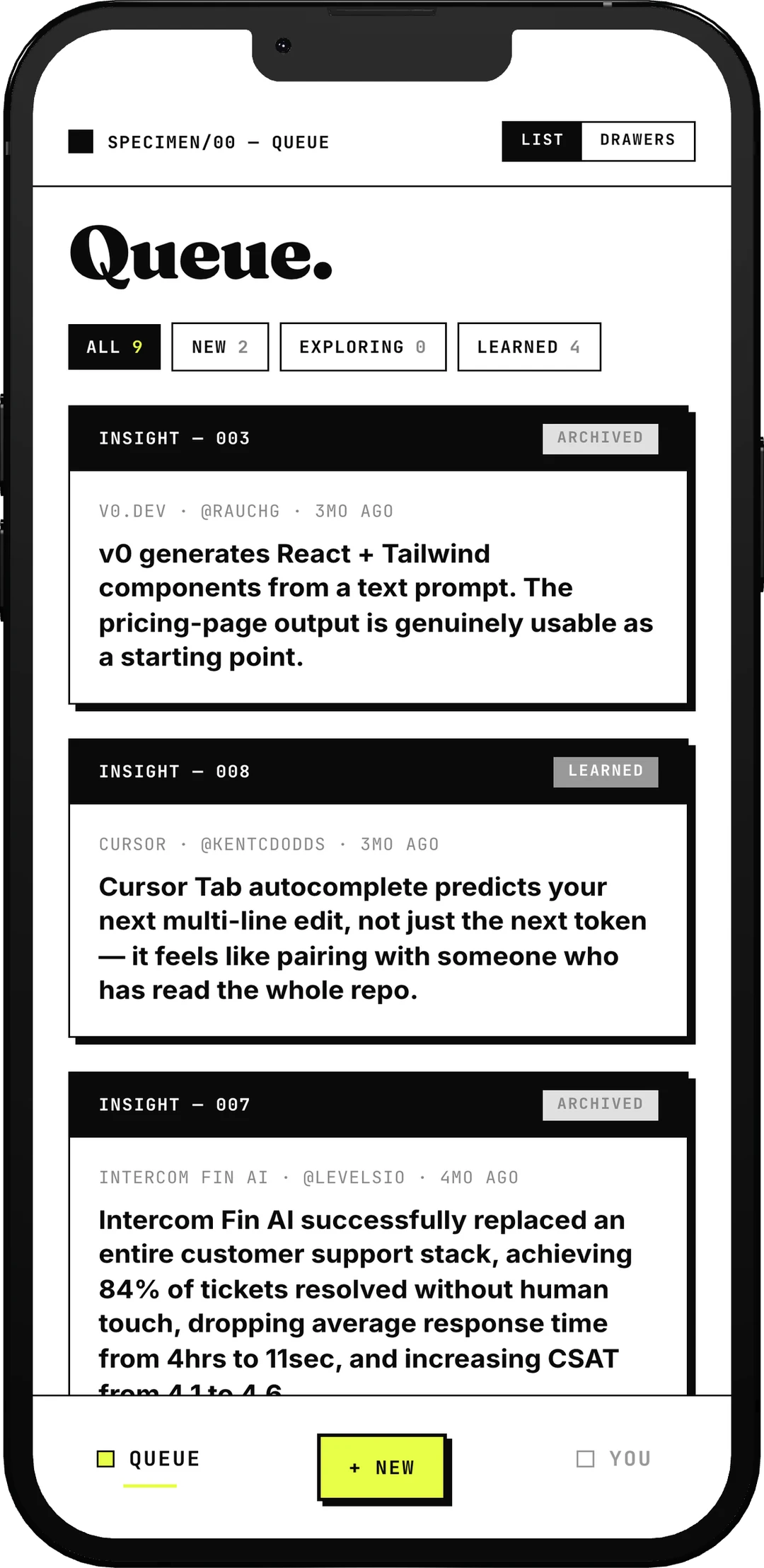
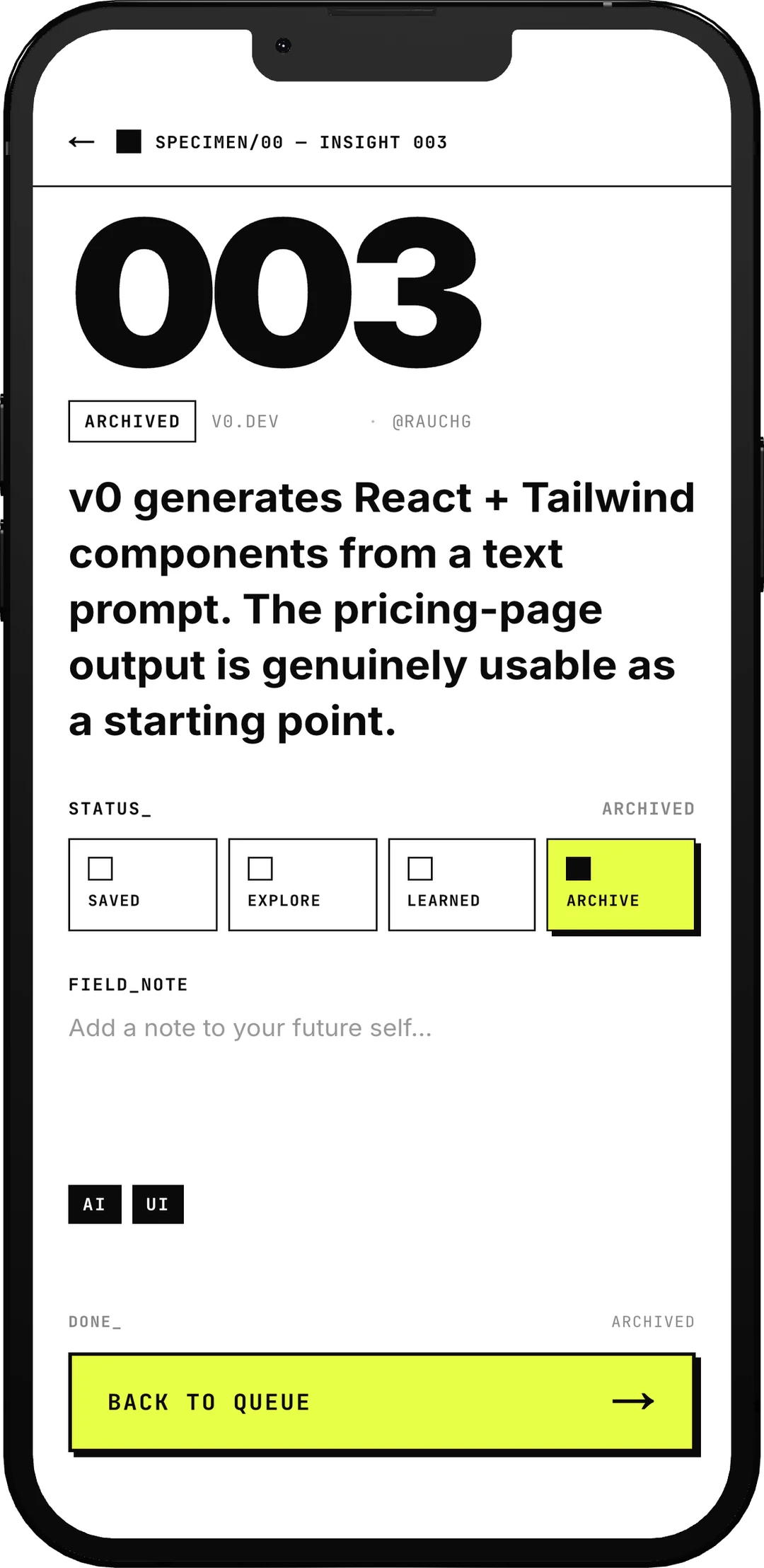
The way in, the drawer, and one specimen out of it. One email field and a six-digit code, then every screenshot read, tagged and filed with the takeaway on the front of the card — and a status on the back, because the point is revisiting it.
02The reframe
Screenshots aren’t clutter. They’re signal.
Concept 01
Field notes
Every screenshot treated as a specimen collected in the wild: a tool, a source, and the exact hook that caused a pause in scrolling.
Concept 02
Specimen drawer
The app repositioned from another crowded inbox to a curated, museum-grade specimen drawer for digital product research.
Concept 03
The designer bet
Testing whether a solo designer could ship a complete working product (auth, database, AI pipeline) using weekend hours and AI tooling alone.
Constraint: weekends only, away from the day job. Proving where product design is heading.
03The design language
A specimen drawer, not another inbox.
Editorial, deliberate and severe.
Signal palette
High-contrast stark black, white and a single accent signal yellow, #FFE600.
Museum cataloguing
Monospace museum tags, hard black offset shadows and structural labels: FIG.01, FIG.02.
Deliberate brutalism
Sharp corners, heavy 2px rules and zero soft gradients, signalling a precise tool for makers.
Insight · 003Archived
v0.dev generates React components from a text prompt.
FIG.01 The queue framework
- Signal
- #FFE600
- Ink
- #0F172A
- Border
- 2px solid #0F172A
- Shadow
- 5px 5px 0px #0F172A
- Typography
- Space Mono + Plus Jakarta Sans
- Objective
- Make camera roll chaos instantly look catalogued
04The build engine
Three taps in, an AI reads the rest.
Traditional route (skipped)
Standard OCR + GPT
Scrapes raw text and passes jumbled strings to a model. Fails on social feed screenshots with overlay text, dark mode and UI logos.
Specimen architecture
Llama 4 Scout on Groq
A single vision model reads words and interface context simultaneously. It identifies tools from layout and logos at near-instant speed, on a zero-cost tier.
Stack: Next.js on Vercel, Supabase Auth and DB, an edge function passing screenshots to the Groq Vision API.
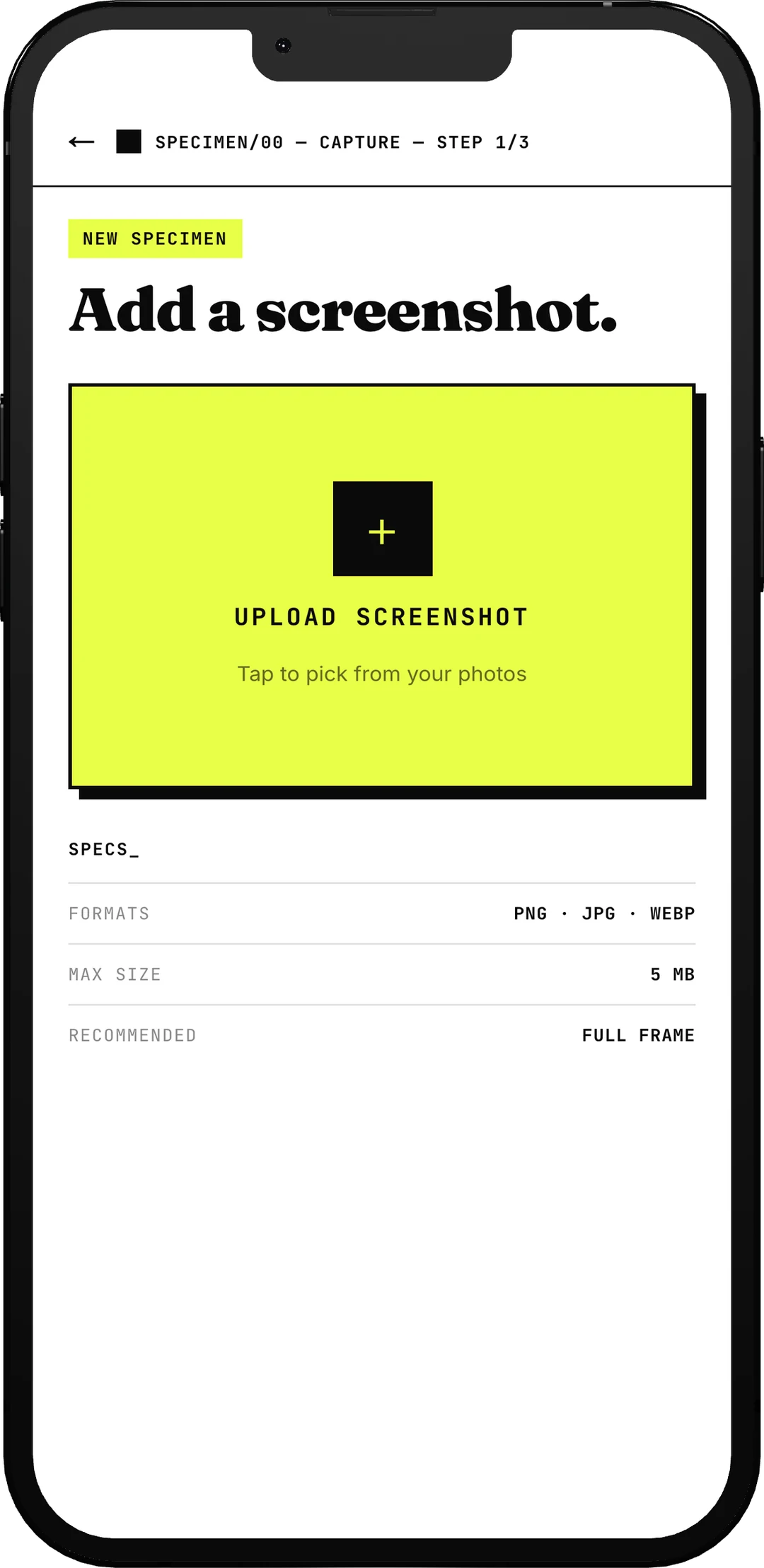
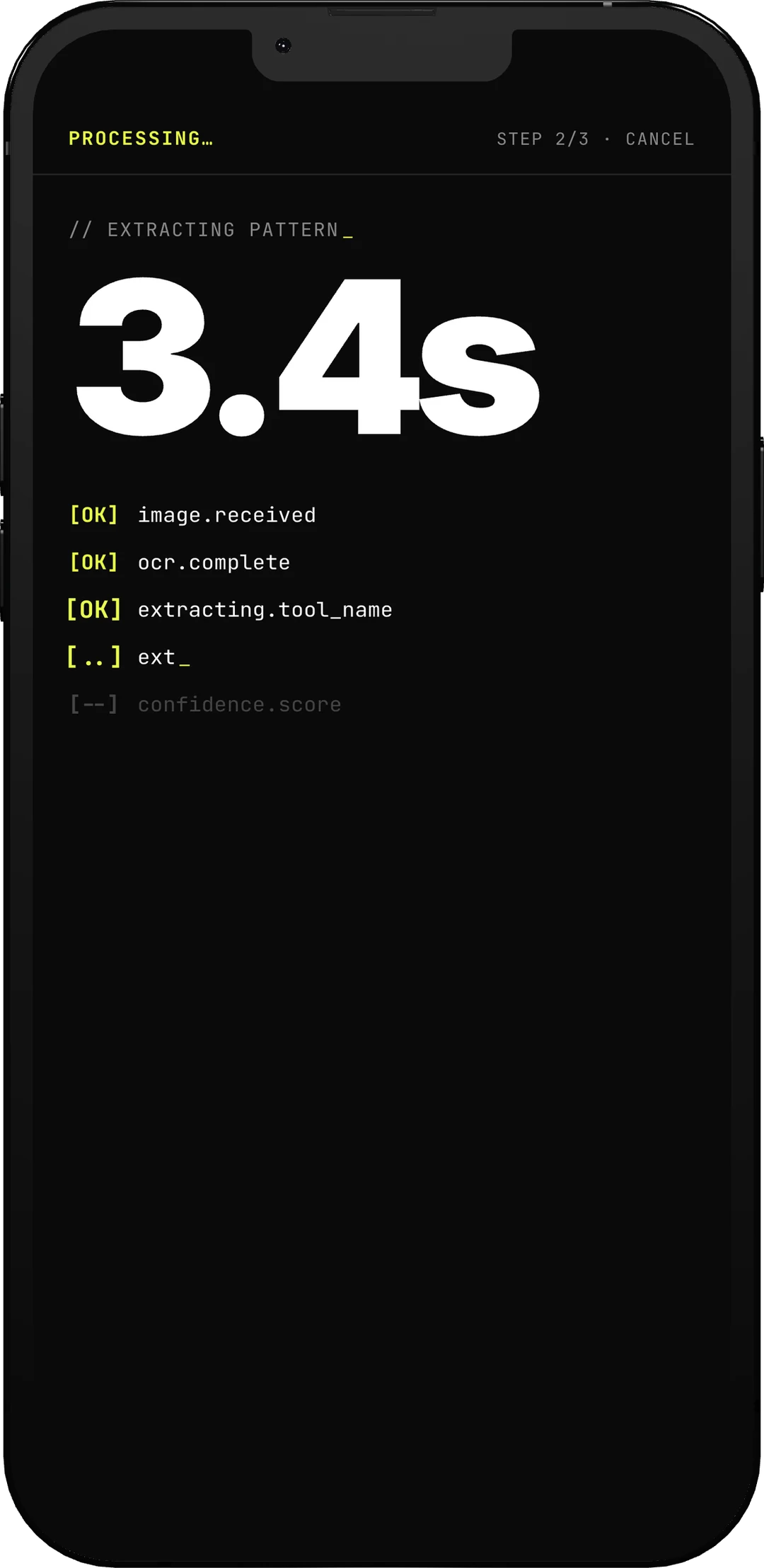
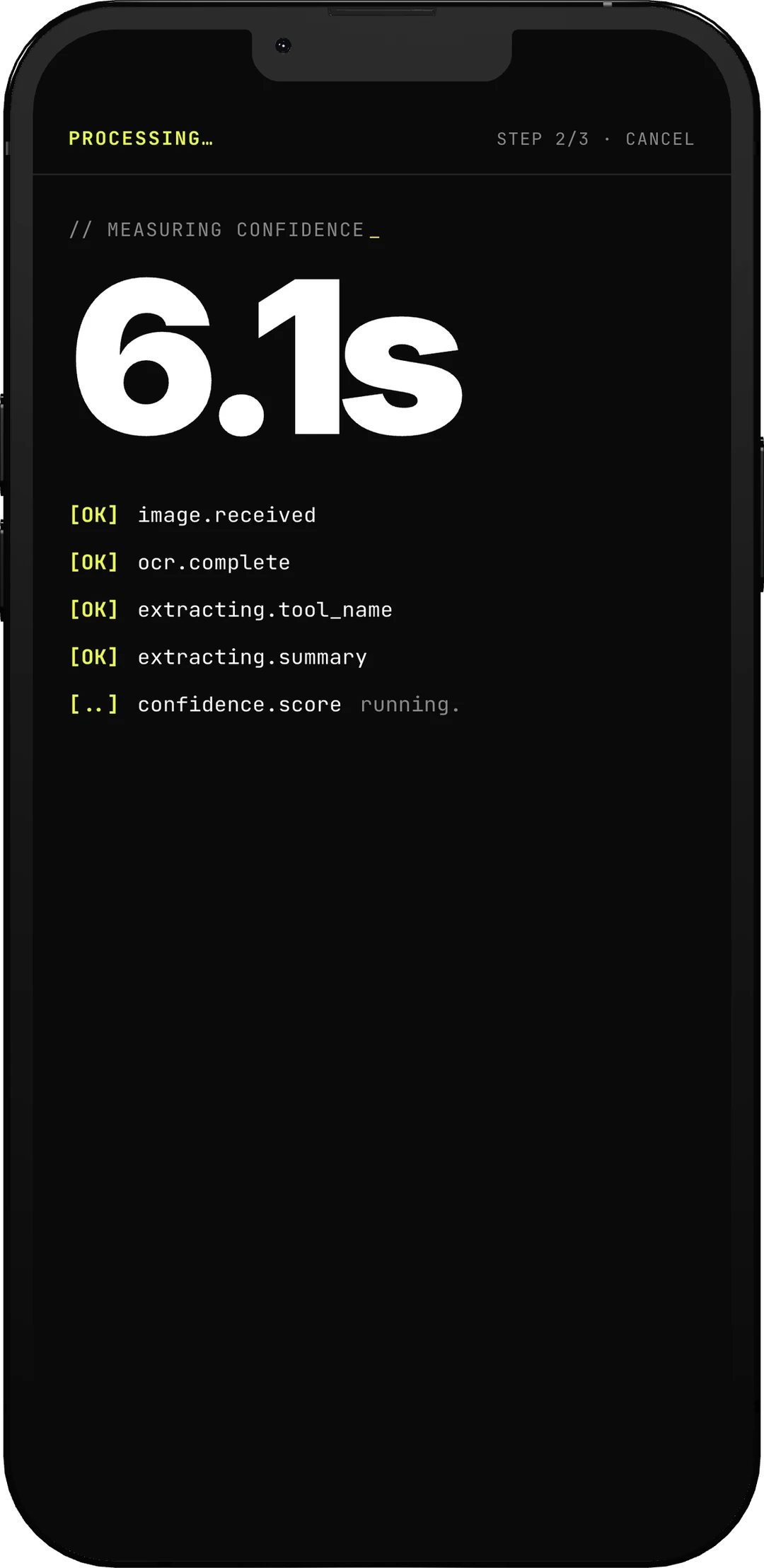
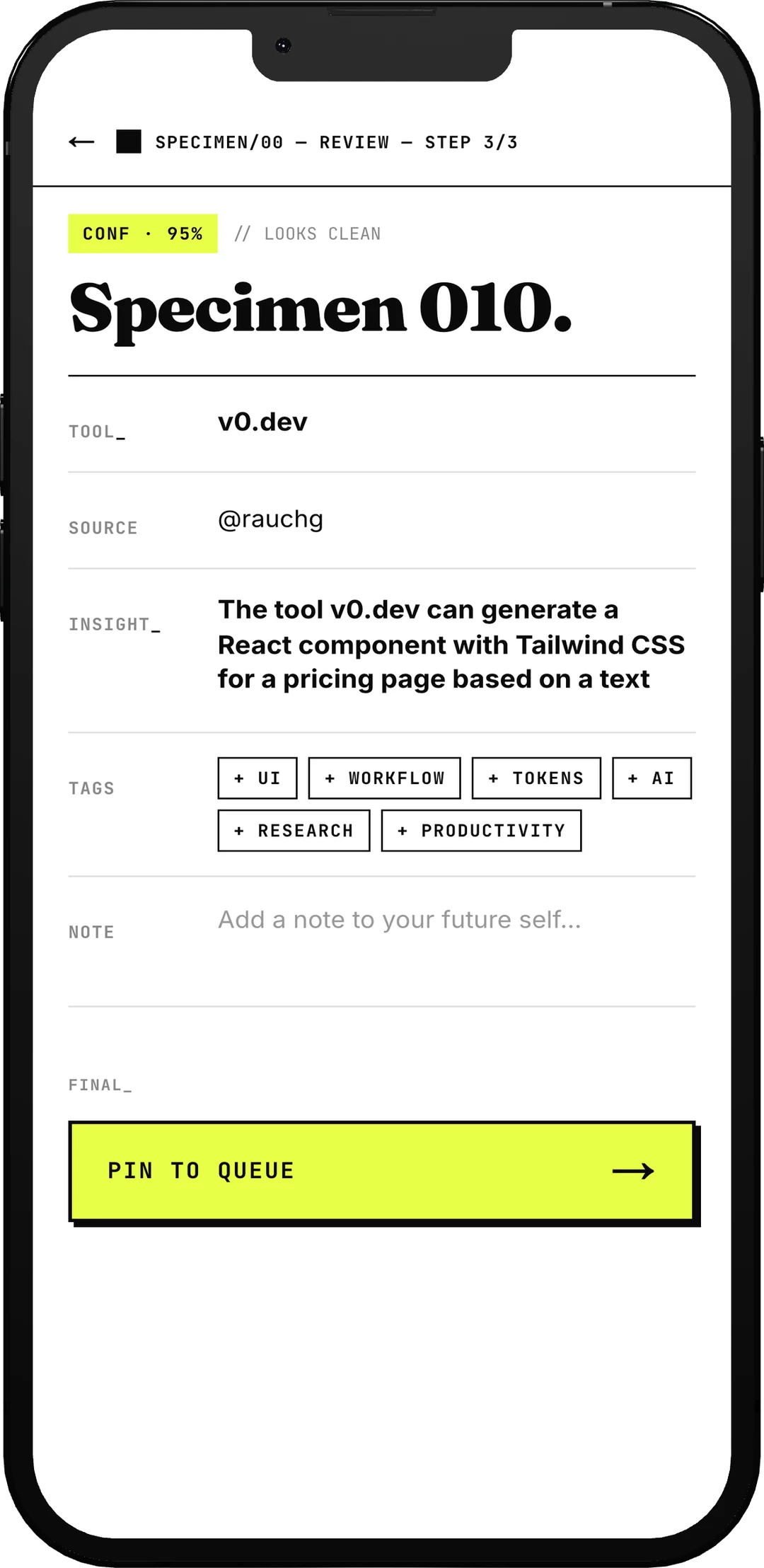
The three taps, and the wait between them. Drop the screenshot; the model reads it and prints its work line by line while it does, rather than spinning, and comes back with the score it gives itself.
05The trust problem
Designing for a model that is sometimes wrong.
Confidence badges
CONF · 95 vs CONF · 40
Treats every read as a draft. Displays an explicit confidence score badge at the top, before the user inspects a single field.
Transparent logs
Lab instrument logs
Replaces opaque spinners with live line-by-line processing steps: Image received → Layout parsed → Tool identified.
Human in the loop
Supervise, not obey
Instructs the model to infer or guess rather than going silent. Nothing enters the permanent queue without explicit human sign-off.
- 1
Confidence, before content
CONF · 95 reads very differently from CONF · 40, and it is the first thing on the screen — before you have checked a single field.
- 2
Every field stays a draft
Tool, source, insight, tags. All of it machine-filled, all of it editable in place.
- 3
You file it, not the model
Nothing enters the queue until a person presses this. The human is the last step, by design.
Three decisions, on one screen. The machine does the reading; the person does the filing.
06The leverage
AI was the engineering team.
Backend & deploy
Claude Code
Translated plain-language product specs into database schemas, auth routines, vision pipeline logic and Vercel deployments.
Visual canvas
Paper (MCP)
Partnered with Claude via Paper MCP: dictated product direction, drafted canvas screens, tweaked by hand and pushed directly to code.
Review loop
Agentation
Annotated the live web page like a design review. Notes were ingested and converted directly into real code updates.
I stopped asking ‘who can build this?’ and started asking ‘what should it be?’
07The hard parts
Where it broke, and how it was fixed.
Technical blockers
Safari cache loop. Served a real root landing page to stop Safari caching old login redirects.
Idle DB pausing. Created a daily ping cron job to keep the Supabase free-tier database active.
Mailer capping. Routed auth emails through Gmail SMTP to handle launch code spikes.
Design refinements
Marquee jump. Engineered dual-track sliding loops to make tagline scrolling seamless.
Dark-mode shadows. Designed yellow-outline brutalist shadows for dark section contrast.
Button sprawl. Consolidated all actions into a unified single CTA component system.
08The shift
I went in a designer. I came out a builder.
AI can build almost anything. It still cannot decide what is worth building.
This product did not start with a model or a clever piece of code. It started with a person, on a bus, tired of a camera roll full of things they would never use again. Keep people at the centre and AI stops being the thing that replaces you — it becomes the thing that lets you build past what you could reach alone.
Status
Shipped and live
Deployed and in the hands of a first circle of friends. Real logins, real uploads, real extraction.
Role
Full-stack design engineer
Every product, design and engineering call, from a frustrated bus ride to a URL you can log into.
That's the short version.
See other work
All work